June 26, 2026 · The MailTrigger Team
Cold Email for Job Search: How to Email Recruiters (2026)
How to Use Cold Email to Find a Job (and Skip the Application Black Hole)
If you've ever submitted 50 online applications and heard back from none of them, cold email for job search is the antidote. Instead of dropping your resume into a portal where it competes with 300 others, you email the person who actually owns the role — the hiring manager, the recruiter, or the founder — with a short, specific note that gets read. It feels bold the first time. It's also how a huge share of jobs actually get filled.
This guide covers why cold email beats applying online, who to email and how to find them, a job-seeker template that gets replies, the right follow-up cadence, and how to stay organized when you're sending 20–50 tailored emails a week.
Why cold email beats applying online
The job market most people see — public postings — is the tip of the iceberg. The bigger one is the "hidden job market": roles filled through referrals, networking, and direct outreach before they're ever posted (or instead of being posted at all). By some estimates, around 85% of jobs are filled through networking and referrals, while online applications convert to an offer only about 0.1–2% of the time.
The leverage of going direct is stark. Research on hiring outcomes finds that sourced and referred candidates are roughly 5x more likely to be hired, and a single referral can be worth about 40 cold applications. Cold email is how you manufacture that referral-like advantage when you don't already know someone inside.
And it works at the inbox level too: recruitment outreach studies show recruiter cold emails earn around a 23.9% open rate, with persistence (a follow-up or two) materially lifting responses. You're not shouting into a void — you're starting a conversation.
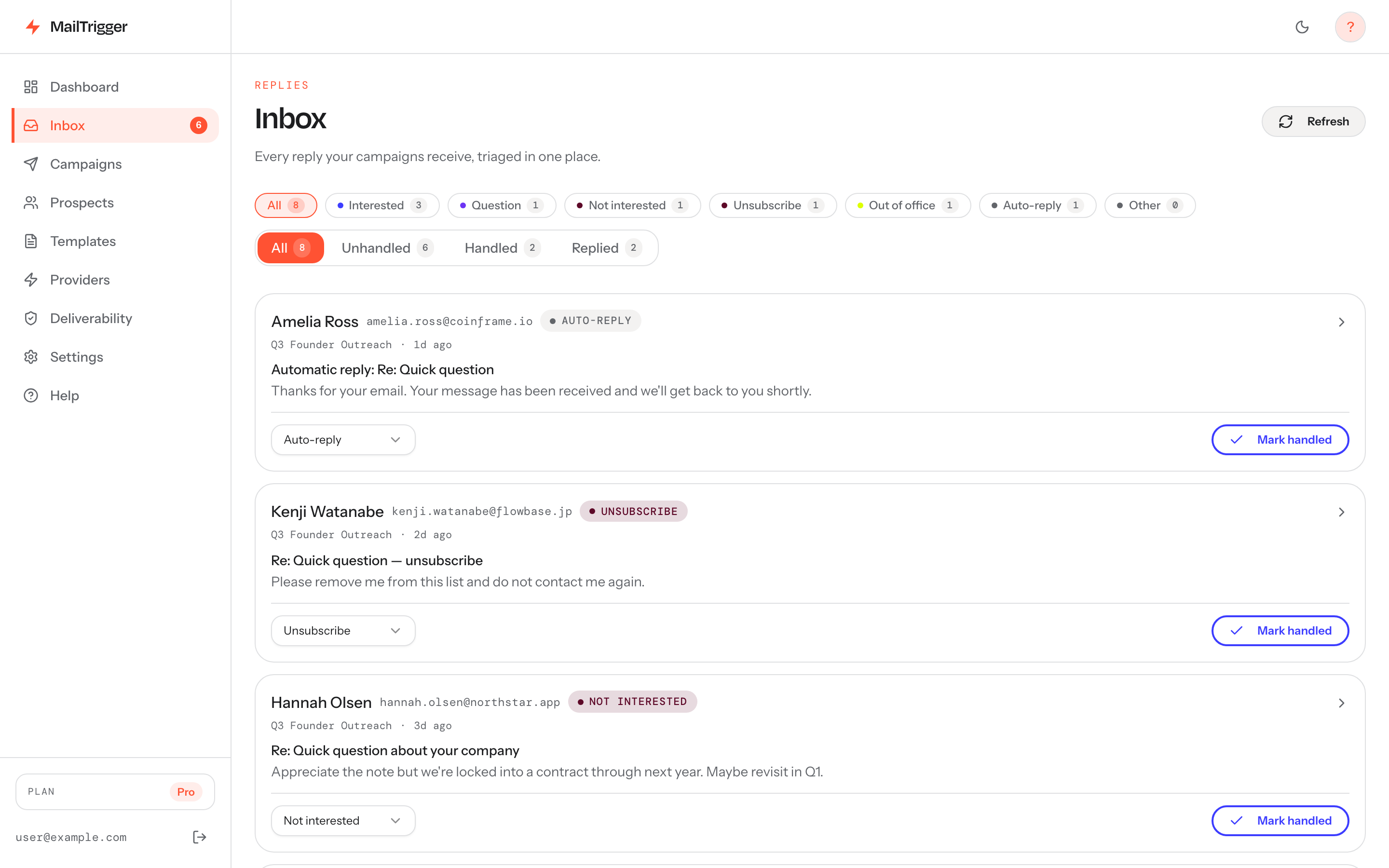
Cold emailing for a job means juggling replies from recruiters, hiring managers, and founders — keeping them in one triaged inbox stops promising threads from getting buried.
Who to email: hiring manager, recruiter, or founder?
Aim for the person closest to the decision:
- Hiring manager (the team lead who needs the role filled): your best target. They feel the pain of the open seat and can move you straight to a conversation. Lead with how you solve their specific problem.
- Founder / department head (at startups and small companies): often is the hiring manager. Direct, fast, and they value initiative — a sharp cold email can stand in for an entire application round.
- Recruiter / talent partner (internal or agency): great for navigating process and multiple roles, but they're a gatekeeper, not the final decision-maker. Be specific about the role and your fit so they can place you fast.
Rule of thumb: for a specific role you want, email the hiring manager first. For "I want to work here, what's open," start with a recruiter or founder.
Finding the person and their email
You usually need two things: the right name, and a likely email address.
- Find the name. LinkedIn is the workhorse — search the company plus the relevant team or title ("Engineering Manager at [Company]"). The job posting itself, the company's team/about page, and recent press also surface names.
- Find or infer the email. Most companies use a consistent format:
first@,first.last@,flast@. Use an email-finder/verifier tool to confirm the pattern and validate the address so you don't bounce. A verified guess is far better than a genericcareers@inbox. - Verify before sending. Bounces hurt deliverability and waste a contact. Confirm the address resolves before you hit send.
The job-seeker template
Keep it short, specific, and about them before it's about you:
Subject: {{role}} at {{company}} — quick note
Hi {{first_name}},
I saw {{company}} is growing the {{team}} team. I'm a {{your_role}} who recently {{specific_relevant_win}} — the kind of thing that maps directly to what {{company}} seems to be tackling with {{their_initiative}}.
I'd love 15 minutes to learn what you need most in the {{role}} and share how I'd approach it. Resume here if useful: {{link}}.
Either way, big fan of {{specific_thing_about_company}}.
{{your_name}}
Why it lands:
- Specific subject. Names the role and company. No mystery, no clickbait.
- A "why-you-why-them" first line. Connect a concrete win of yours to their actual need. Generic enthusiasm gets deleted; relevance gets a reply.
- One ask. A short conversation, not "please consider my application." Make the yes easy.
- Genuine, specific closer. Prove you researched them. It separates you from mass blasters.
Link your resume rather than attaching it — attachments from unknown senders can trip spam filters and feel heavier than a one-click link.
Follow-up cadence
Persistence is the difference between a 5% and a 20% response rate — but stay gracious. A 2–3 touch cadence works:
- Email 1 (Day 0): the note above.
- Email 2 (Day 4–5): a short add — a relevant portfolio piece, a thought on their team's challenge, or a recent company update you noticed.
- Email 3 (Day 10–12): a brief, warm close: "I know hiring is hectic — I'll leave it here, but I'd genuinely love to contribute to {{team}} when the timing's right."
Two follow-ups is plenty. The moment someone replies — even a "not now" — stop the sequence and respond personally.
Sending 20–50 tailored emails a week, organized
Job searching is a pipeline, and a pipeline needs tracking. Sending a handful of one-off emails from Gmail is fine for week one; by week three you'll lose track of who you contacted, who replied, and who needs a follow-up.
This is where a lightweight outreach tool helps — not for spamming, but for organizing a personal, high-touch search. MailTrigger lets you bring your own key: connect your own Gmail (via SMTP) or another provider so every email sends from your real address with your reputation — not a shared pool that looks robotic. You can set up a short sequence so follow-ups send automatically (and stop the instant someone replies), and IMAP reply detection surfaces every response in one place so a recruiter's "let's chat" never gets buried.
Keep the personalization high and the volume sane — this is targeted outreach, not a blast. Pricing is flat and contact-based, with a free tier for 250 contacts that's plenty for a job hunt. See the pricing tiers if you want the follow-up automation.
A couple of related reads worth bookmarking: what a realistic cold email reply rate looks like (so you don't get discouraged), the basics of cold email deliverability (so your notes reach the inbox), and how many emails you can safely send per day from a normal inbox.
FAQ
Is it weird to cold email a recruiter or hiring manager?
No — it's expected and often appreciated, if the email is short, specific, and respectful of their time. Hiring managers want to fill roles fast; a relevant candidate emailing directly saves them work. The "weird" version is a long, generic, all-about-you message. The good version is two tight paragraphs connecting your experience to their need.
What subject line works best for a job-search cold email?
Specific and plain. Name the role and company ("Engineering Manager at Acme — quick note") rather than anything clever. Recruiters and managers triage by relevance; a clear subject signals you're a real, targeted candidate, not a mass mailer. Avoid all-caps, "URGENT," or fake "Re:" prefixes.
How many follow-ups should I send?
Two is the sweet spot — a value-add follow-up around day 4–5 and a polite close around day 10–12. Persistence lifts replies, but three or more pushes can read as pestering. Always stop the moment you get any reply and switch to a personal response.
Should I attach my resume?
Link it rather than attaching it. A link (Google Drive, a personal site, or a hosted PDF) is lighter, is less likely to trip spam filters on a first contact, and lets you see if it was opened. Offer it as "resume here if useful" so it doesn't dominate the email — the goal of the first message is a conversation, not a full review.