June 29, 2026 · The MailTrigger Team
Cold Email Deliverability: How to Actually Land in the Inbox (2026)
You can write the best cold email in the world, but if it lands in spam, nobody reads it. Cold email deliverability is the whole game: it's the difference between an outreach campaign that books meetings and one that quietly disappears into junk folders. This guide is the complete 2026 playbook — what deliverability actually means, why cold emails go to spam, the new Gmail and Yahoo sender rules, and the exact checklist to fix it.
Delivered is not the same as inboxed
The first trap is the metric. Email service providers report a "delivered" rate, and it's almost always high — 98%, 99%. That number only means the receiving server accepted the message. It says nothing about where it landed.
A message can be "delivered" and sitting in spam, in Gmail's Promotions tab, or filtered into oblivion. The metric that matters is inbox placement: the share of your sends that reach the primary inbox where a human will actually see them. Two campaigns with identical "delivered" rates can have wildly different placement — and only one of them gets replies.
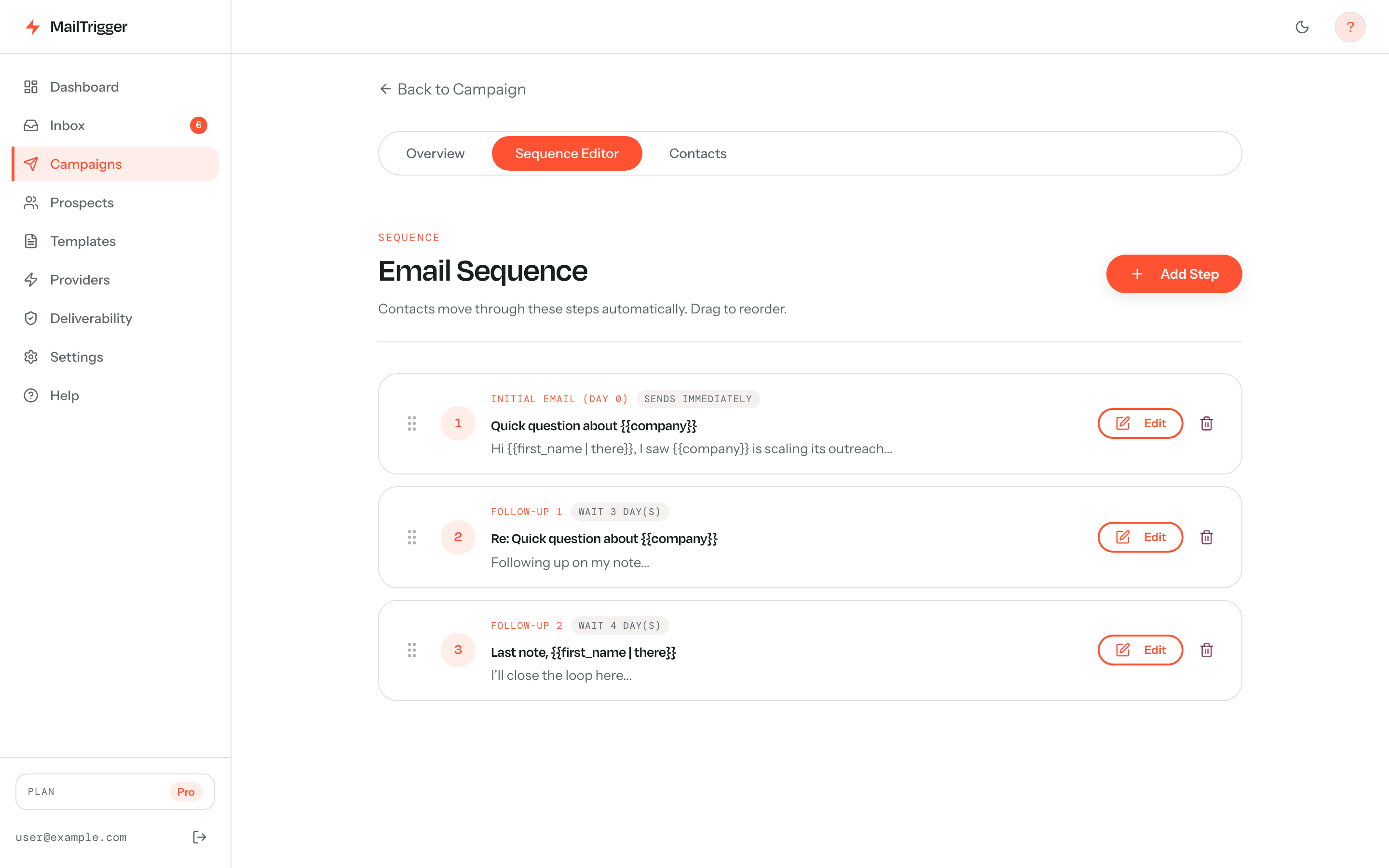 A drip sequence with timed follow-ups rather than one big blast: paced, human-looking sending is a core driver of inbox placement.
So when you hear "deliverability," read it as inbox placement. That's what we're optimizing for.
Why cold emails go to spam
Spam folders aren't random. Inbox providers run every message through filters that score sender trust and content risk. Cold email trips these filters in predictable ways:
- Missing or broken authentication. If you can't prove you are who you say you are (SPF, DKIM, DMARC), providers treat you as suspicious by default. This is the single most common reason cold email fails today.
- A cold domain with no reputation. A brand-new domain has no sending history. Firing hundreds of emails from it on day one looks exactly like a spammer who just registered a throwaway domain.
- High complaint rates. When recipients mark you as spam, providers notice fast. Gmail is explicit: keep your spam-complaint rate below a hard ceiling (more on the number below).
- Shared IP pools. If your sending tool routes everyone's mail through a shared pool of IPs, you inherit the reputation of every other sender on it — including the spammers. One bad actor can tank placement for everyone.
- Spammy content and no unsubscribe. Aggressive subject lines, link-heavy bodies, image-only emails, and the absence of an easy opt-out all raise your risk score.
Fixing deliverability means addressing each of these — in order. But first, the rules changed.
The 2025–2026 Gmail and Yahoo sender rules
In February 2024, Gmail and Yahoo rolled out shared sender requirements, and enforcement has only tightened since. As of 2025, bulk senders to Gmail and Yahoo must:
- Authenticate with SPF, DKIM, and DMARC. All three. Your
From:domain must align with either SPF or DKIM, and you need a published DMARC record (support.google.com; dmarcian.com). - Offer one-click unsubscribe (RFC 8058). Bulk marketing and promotional mail must include a working one-click unsubscribe header, and you must process opt-outs within two days (support.google.com).
- Stay under the spam-complaint threshold. Gmail requires bulk senders to keep their reported spam rate below 0.30%, and recommends aiming under 0.10% (support.google.com).
These aren't suggestions. In November 2025, Gmail tightened enforcement of these requirements, and senders who ignored them saw placement collapse (Proofpoint). Microsoft followed suit, beginning to reject non-compliant bulk mail to Outlook and Hotmail addresses from May 5, 2025 (Security Boulevard).
The takeaway: authentication is now table stakes. If you skip it, nothing else you do matters.
The deliverability checklist
Work through these in order. Each layer builds on the last.
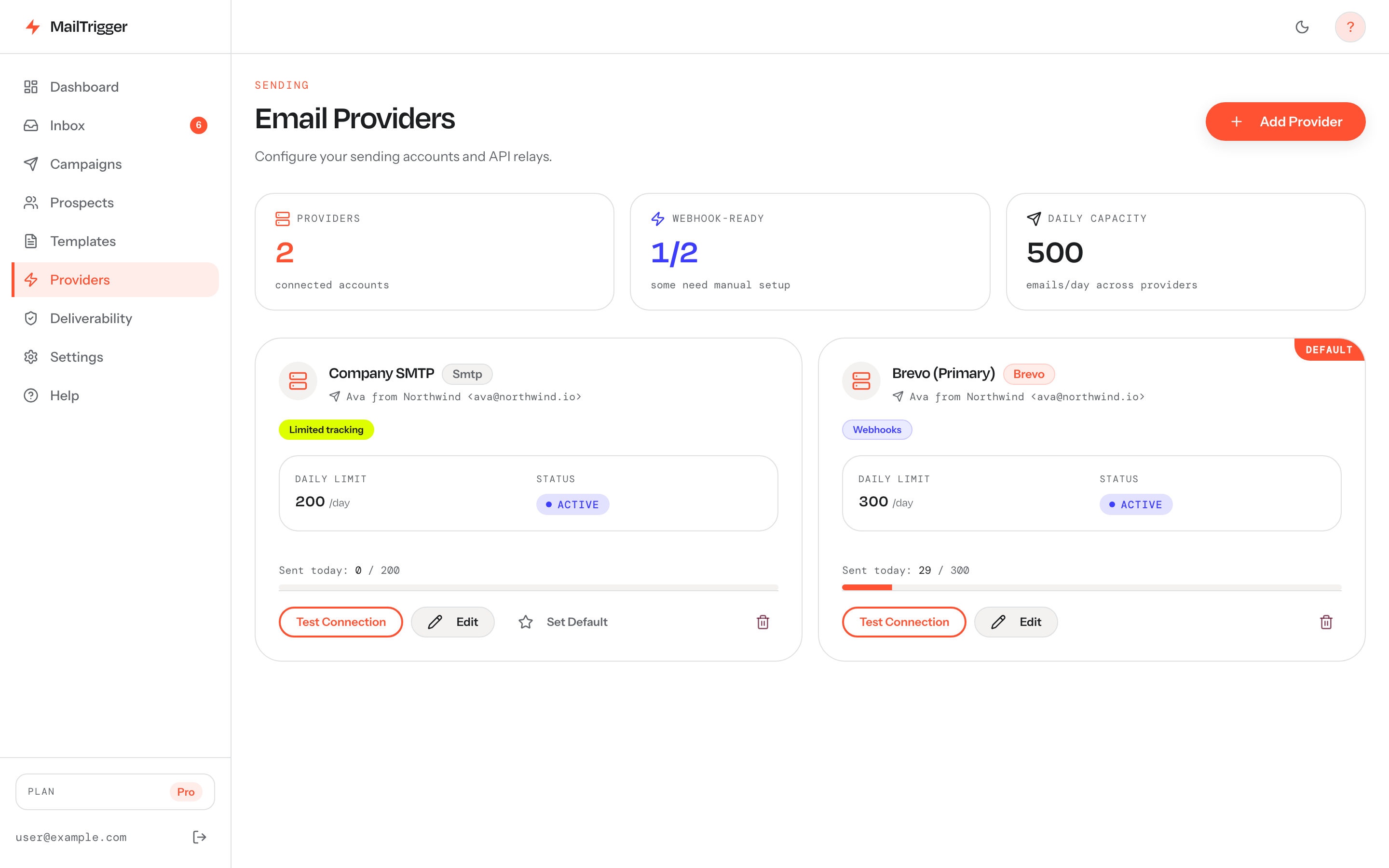 The deliverability workflow starts here: connect a provider you've already authenticated (SPF/DKIM published), so every send goes out under your own reputation rather than a shared pool.
1. Authenticate (SPF → DKIM → DMARC)
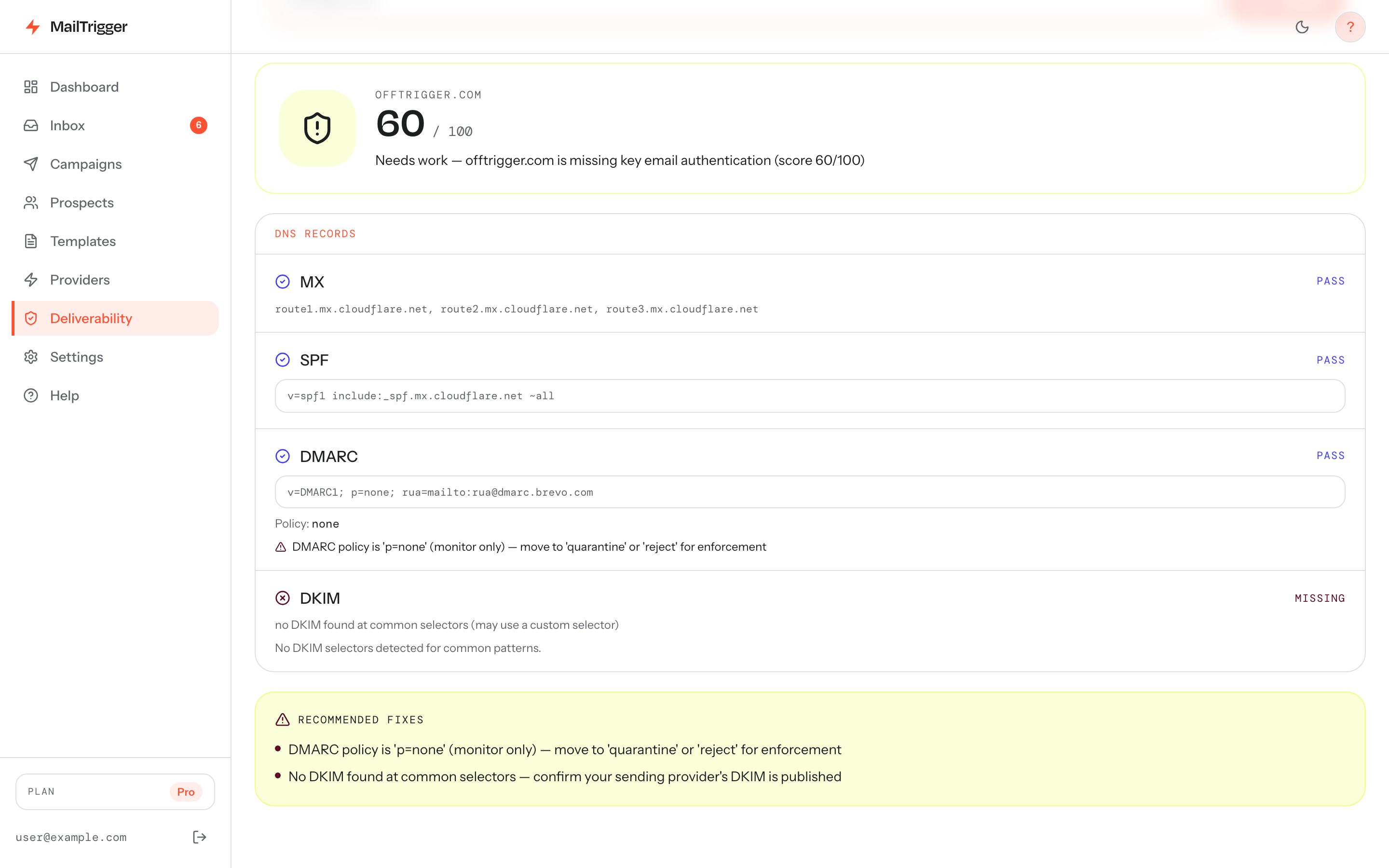
This is the foundation. SPF says which servers may send for your domain, DKIM cryptographically signs your mail, and DMARC ties them together and tells providers what to do with mail that fails. You need all three published and aligned before you send a single cold email.
This is involved enough to deserve its own walkthrough — see our step-by-step SPF, DKIM and DMARC setup guide for the exact DNS records and the DMARC policy Gmail and Yahoo now require.
2. Warm up the domain
A new domain (or new sending inbox) needs to build reputation gradually. You start at a trickle and ramp volume over several weeks so providers learn that your mail is wanted, not blasted. Skip this and you'll burn the domain before it ever earns trust.
We cover the exact ramp schedule in how many cold emails you can safely send per day — including a week-by-week warm-up table.
3. Respect sending limits
Even after warm-up, there's a ceiling. Sending too many emails too fast, with no delay between them, is a classic spam signal. Cap your daily volume per inbox, spread sends across working hours, and randomize the gaps between them so your pattern looks human.
4. Clean up content and consent
- Personalize beyond the first name.
- Keep a healthy text-to-link ratio; avoid image-only emails.
- Always include a clear, working unsubscribe.
- Only email people you have a legitimate reason to contact — purchased lists are a fast track to complaints.
How your infrastructure choice affects placement
Here's the lever most guides skip: where your mail physically sends from shapes placement more than almost anything else.
- Shared IP pools put your reputation in strangers' hands. They're cheap and require no setup, but one spammer on the pool can drag your placement down with no recourse.
- Dedicated IPs give you a clean lane — but they're expensive and need consistent volume to stay warm, so they only make sense above a certain scale.
- Your own provider (BYOK) — sending through your own connected email account (Brevo, SendGrid, Resend, SES, or SMTP) — means your reputation, on the official infrastructure of an established ESP. Vendor and industry estimates put placement on official ESP infrastructure roughly 15–50% better than shared SMTP pools (vendor-reported, Smartlead).
We break down the trade-offs in shared IP vs dedicated IP for cold email. MailTrigger is built around the third model — see how the bring-your-own-key approach protects your sender reputation.
How to measure inbox placement
You can't improve what you don't measure. Track these:
The built-in inbox-health check scores your sending domain on MX, SPF, DMARC and DKIM and lists the exact fixes — authentication gaps are the first thing that drags placement down.
- Seed/placement tests — send to a set of monitored seed inboxes across Gmail, Outlook, and Yahoo to see where you land.
- Reply rate — the ultimate downstream signal. If placement drops, replies dry up first. (See cold email reply-rate benchmarks.)
- Postmaster tools — Google Postmaster Tools shows your domain reputation and spam-complaint rate straight from Gmail.
- Complaint and bounce rates — rising complaints or bounces are early warnings; pause and investigate before placement craters.
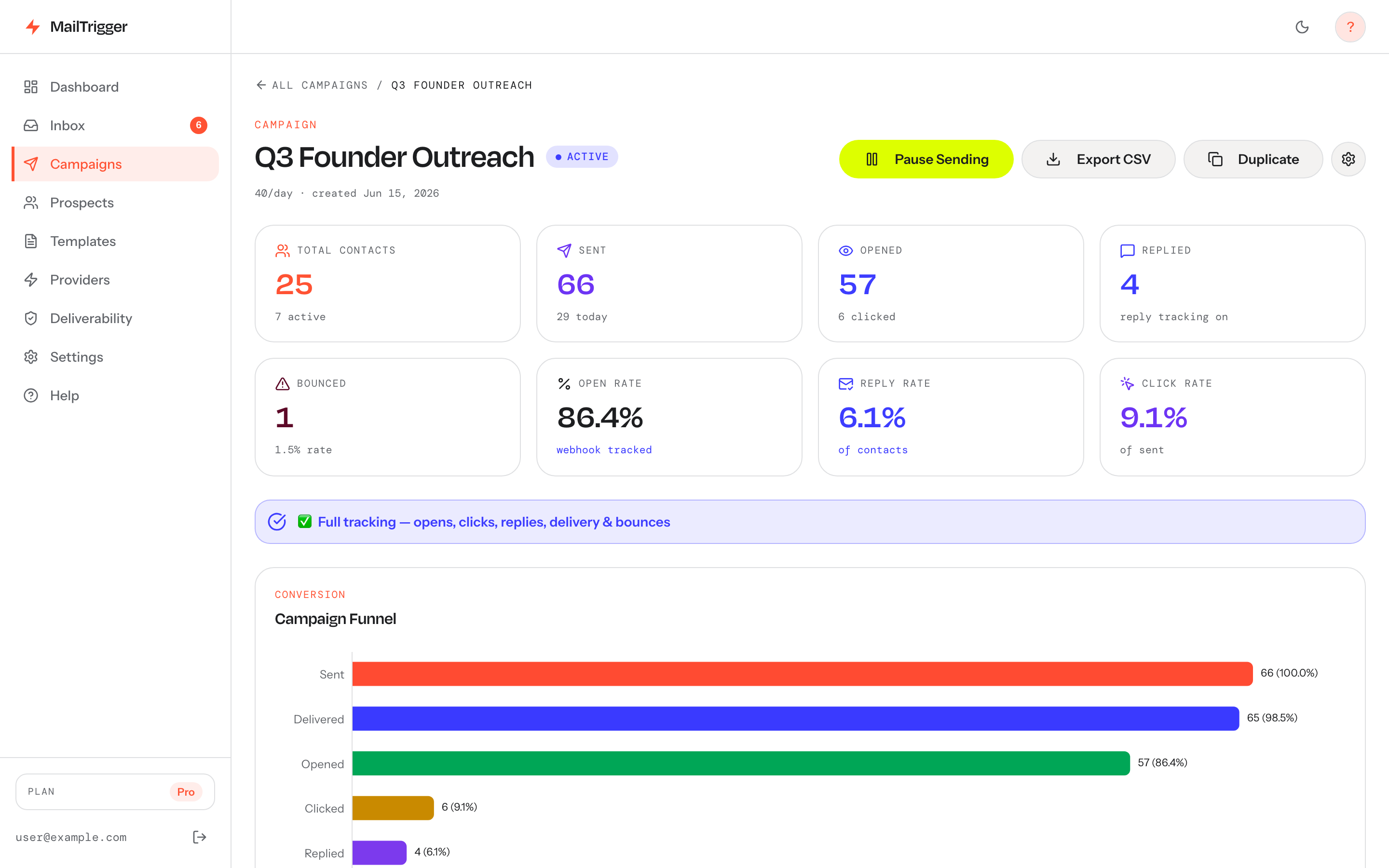 Monitor opens, clicks, replies and engagement over time in one dashboard — when inbox placement slips, these numbers fall first.
FAQ
Why do my emails go to spam even though I'm not spamming?
Spam filters score signals, not intent. Missing authentication, a cold domain with no reputation, sending too fast, a shared IP pool, or even content patterns can flag you — regardless of whether your outreach is legitimate. Work through the checklist above (start with SPF/DKIM/DMARC) and the signals improve.
What's a good cold email deliverability rate?
For inbox placement, aim for 95%+ of mail reaching the primary inbox. Don't be fooled by a 99% "delivered" rate from your ESP — that only means servers accepted the mail, not that it inboxed. Measure placement with seed tests and watch your spam-complaint rate stays well under Gmail's 0.30% ceiling (support.google.com).
How long does it take to fix a damaged sender reputation?
If a domain has been flagged or burned, expect several weeks of disciplined low-volume sending to rebuild trust — similar to warming a fresh domain. There's no instant reset; reputation is earned over time through clean, wanted mail and low complaints.
Does a deliverability tool guarantee inbox placement?
No honest tool can guarantee the inbox — placement depends on your authentication, reputation, content, and the recipient's filters, which no vendor controls. What a good tool does is automate the things that move placement: authentication checks, warm-up, paced sending, and reputation-friendly infrastructure. The rest is your list quality and your copy.