June 19, 2026 · The MailTrigger Team
How to Send 1,000+ Cold Emails for Free (2026 Guide)
How to Send 1,000+ Cold Emails for Free Using Your Own Providers
If you want to know how to send bulk emails for free, the honest answer is that no single free tool will hand you a thousand sends a day with no strings attached. But here's the part most guides skip: you don't need one. By stacking the permanent free tiers of a few reputable email providers and routing them through your own inboxes, you can absolutely do free cold email sending at 1,000+ messages a day for $0 — as long as you respect the deliverability rules that keep those accounts alive.
This guide covers the real 2026 free email sending limits provider by provider, how to stack and rotate them without burning them, and where the free-tier model quietly costs you more than it saves.
The math: stacking + BYOK
The trick is two ideas working together.
Stacking means using several providers at once instead of one. If Provider A gives you 300 sends a day and Provider B gives you 100, you're at 400 before you've spent a cent. Add a couple more and you clear 1,000 comfortably.
BYOK (bring your own key) means you connect your own provider accounts to a sending tool rather than blasting through a shared pool the tool owns. Your mail goes out under your own sender reputation, on the official infrastructure of an established ESP. That's the difference between a free setup that lands in the inbox and one that gets your domain flagged in a week.
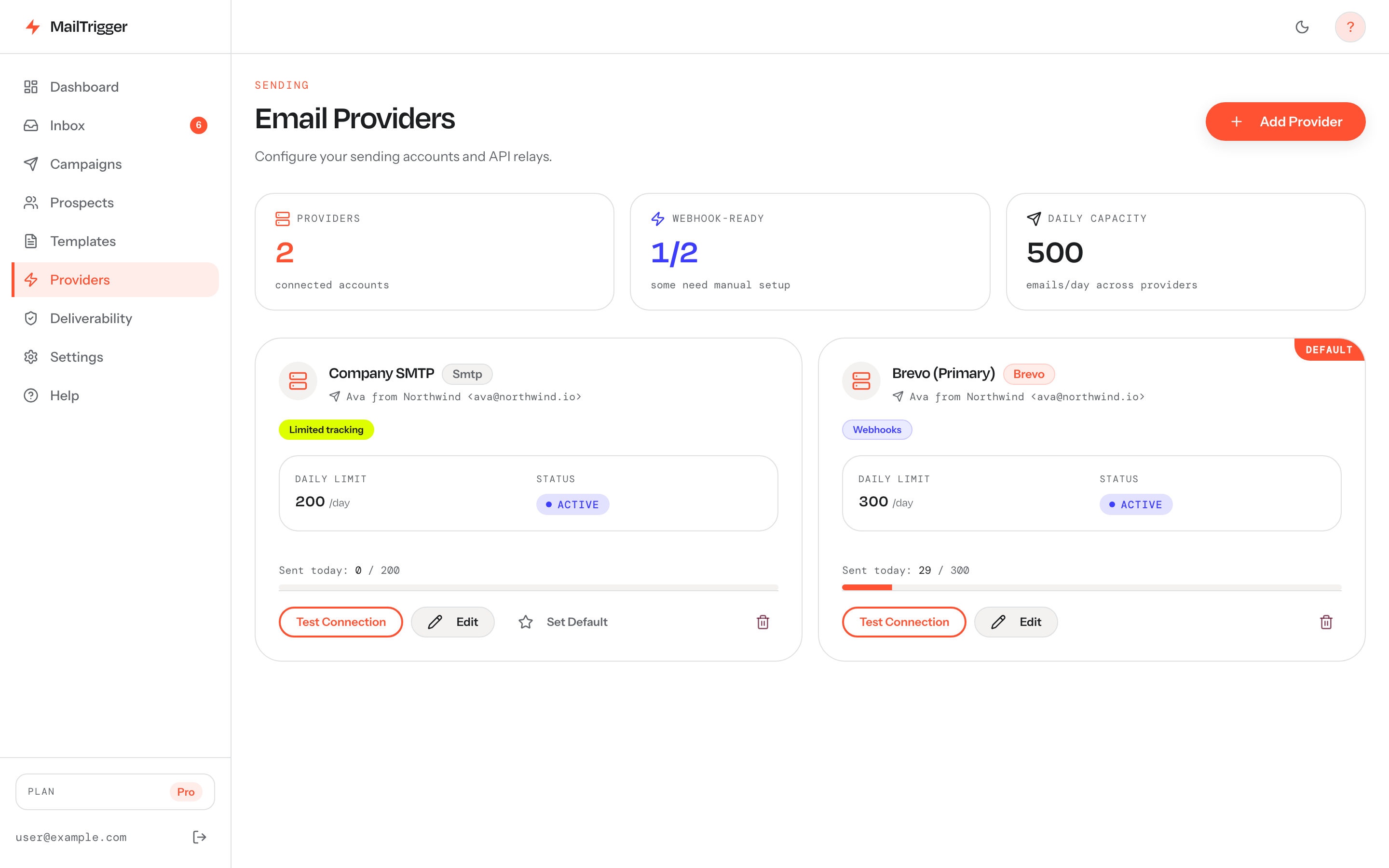
MailTrigger is built around exactly this model — connect your own Brevo, Resend, SES, SMTP, or other accounts and it sends through them. See how the bring-your-own-key approach protects your sender reputation.
Stacking is just connecting more than one provider: each free tier you add raises your free daily ceiling while keeping sends under your own reputation.
2026 free sending limits, provider by provider
Here are the real, current free allowances for the providers worth stacking. Limits change, so treat this as a starting point and verify on each provider's pricing page before you rely on it.
| Provider | Free allowance | Daily cap | Auth | Best for | Source |
|---|---|---|---|---|---|
| Brevo | Forever-free plan | ~300/day forever | API key / SMTP | The reliable always-free base layer | brevo.com |
| Resend | 3,000/month free | 100/day cap | API key | Developer-friendly, clean deliverability | resend.com |
| SendGrid | No permanent free; 60-day trial ~100/day (verify current trial terms) | ~100/day during trial | API key | Short-term burst, not a permanent layer | twilio.com |
| Mailgun | Permanent free ~100/day (≈3k/mo) | ~100/day | API key + domain | A second always-on free layer | mailgun.com |
| MailerSend | 500/month free (verify) | ~100/day (verify) | API key | Topping up the stack | mailersend.com |
| Amazon SES | 3,000/mo free — first 12 months only, then $0.10/1,000 | High (account-based) | Access key + secret + region | Cheapest at scale after the trial | aws.amazon.com |
| Gmail | Free with a Google account | ~500 recipients / 24h | App password (SMTP) | Personal-volume, high-trust sends | support.google.com |
| Outlook / M365 | Paid mailbox | ~10,000/day | SMTP — basic auth deprecated | Existing M365 users | techcommunity.microsoft.com |
A quick read of that table: Brevo's roughly 300/day forever plus Mailgun's ~100/day permanent free, plus a Gmail inbox at up to ~500 recipients per 24 hours, already gets you most of the way to 1,000 without touching a trial or a paid plan. Add Resend's 3,000/month and you're past it.
Flag: Microsoft is deprecating basic-auth SMTP for Exchange Online. If you plan to lean on an Outlook/M365 mailbox, watch the Microsoft deprecation timeline — basic-auth SMTP is being phased out, so you may need modern auth or a different layer.
How to stack and rotate without burning them
Hitting 1,000/day on free tiers is easy. Keeping those accounts healthy is the hard part. The rules:
- Spread the load. Don't push any single provider to its absolute cap every day. A provider sitting at 95% of its limit, every day, on cold mail, looks exactly like abuse. Run each at a comfortable fraction of its ceiling.
- Rotate sensibly, not randomly. Rotating inboxes to look "human" is fine; rotating to dodge spam complaints is not. The point of multiple providers is volume headroom and redundancy, not evading filters.
- One identity per inbox. Each sending mailbox should map to a real, authenticated sending identity. Mixing unrelated domains through one provider account muddies your reputation.
- Watch each provider independently. Free accounts get suspended fast when complaint or bounce rates spike. Monitor per-provider bounce and complaint rates so one bad batch doesn't take down your whole stack.
The deliverability tax: warm-up and caps
Free volume is worthless if it lands in spam. The same deliverability rules apply whether you paid $0 or $99.
Warm up every new domain and inbox. A brand-new sending identity has no reputation. Firing 300 cold emails from it on day one is the fastest way to get the account suspended and the domain flagged. Start at a trickle and ramp over weeks. We lay out the exact ramp in how many cold emails you can safely send per day, including a week-by-week warm-up table and per-inbox daily caps.
Pace the sends. Don't blast a thousand messages in a five-minute window. Spread them across working hours and randomize the gaps so the pattern looks human. Tools that send on a paced drip schedule do this for you.
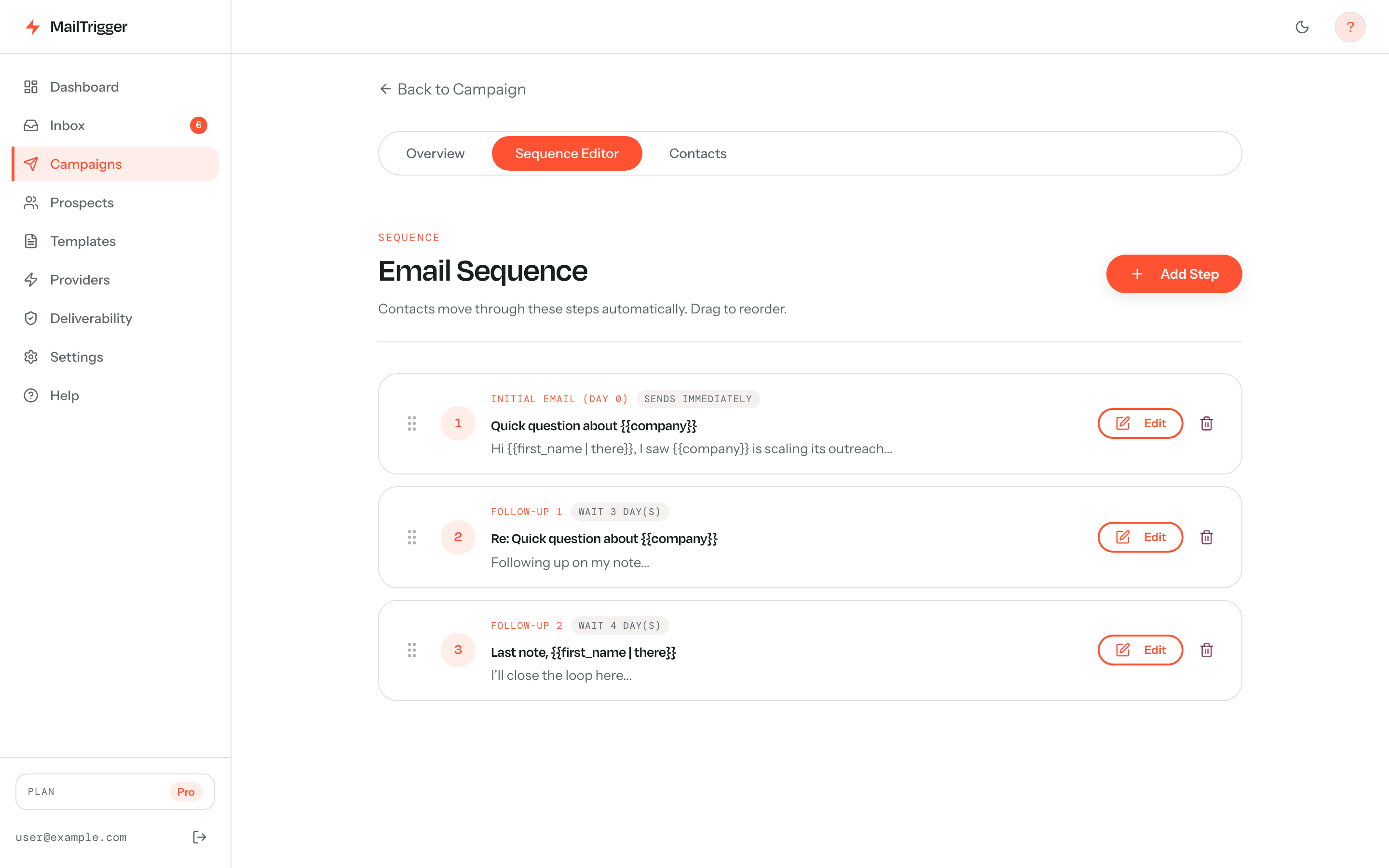 Free-tier or not, paced sending matters: spreading volume across the day and randomizing gaps keeps free accounts alive and mail in the inbox.
Authenticate before you send a single message. SPF, DKIM, and DMARC are now table stakes — Gmail and Yahoo require them from bulk senders, and unauthenticated mail gets filtered regardless of which free tier it came from. Follow our step-by-step SPF, DKIM and DMARC setup guide first.
Staying compliant at scale
Sending free doesn't exempt you from the law or the platform rules.
- One-click unsubscribe (RFC 8058) is required for bulk senders to Gmail and Yahoo. Every campaign needs a working, honored opt-out.
- Honor opt-outs within two days and suppress them across your whole stack — not just the provider that sent the original.
- Only email people you have a legitimate reason to contact. Purchased lists drive complaints, and complaints are what get free accounts banned and domains blacklisted.
- Stay under the spam-complaint ceiling. Gmail wants bulk senders below 0.30% reported spam (aim under 0.10%). One bad list can blow past that and torch every free account in your stack.
This is the heart of solid cold email deliverability — the rules don't care what you paid.
The catch with free tiers (where BYOK + flat pricing wins)
Stacking free tiers genuinely works, but it has costs that don't show up on a pricing page:
- Management overhead. Juggling five provider accounts, five sets of credentials, five bounce dashboards, and five suspension risks is real work.
- Trials expire and caps tighten. SES's free tier is 12 months only; SendGrid's free plan is a short trial. Your "free" stack erodes over time.
- Fragility. Lose one account to a complaint spike and your daily ceiling drops overnight.
The free route is perfect for validating outreach before you spend money. Once it's working, the question becomes whether the juggling is worth it. A flat-priced BYOK tool keeps the part that matters — sending through your own providers under your own reputation — while removing the per-email and per-seat surprises. MailTrigger's free plan lets you start at $0, and paid tiers are billed by contacts, not per email. See the transparent pricing tiers and the full feature set.
FAQ
Can I really send 1,000 cold emails a day for free?
Yes — but not from one provider. By stacking permanent free tiers (Brevo ~300/day, Mailgun ~100/day, Resend 3,000/month) and your own authenticated inboxes (Gmail at up to ~500 recipients/24h), you can clear 1,000/day at $0. The limit isn't the free volume; it's keeping every account healthy with warm-up, pacing, and clean lists.
Is cold email legal?
Cold email is legal in most jurisdictions when you follow the rules: identify yourself honestly, include a working unsubscribe, honor opt-outs promptly, and don't use deceptive headers. The U.S. CAN-SPAM Act, Canada's CASL, and the EU's GDPR each set requirements — GDPR in particular limits cold B2C mail. Email people you have a legitimate reason to contact, and always offer one-click unsubscribe per the Gmail and Yahoo sender requirements.
What's the best free SMTP for cold email?
For a permanent free base layer, Brevo (~300/day forever) is the most reliable, with Mailgun (~100/day permanent) as a strong second. Amazon SES is cheapest at scale but only free for the first 12 months, then $0.10 per 1,000. Whichever you pick, connect it via BYOK so mail sends under your own reputation.
What's Gmail's per-day sending limit?
A free Gmail account can send to roughly 500 recipients per 24 hours via SMTP with an app password (support.google.com). Google Workspace accounts have higher limits. Either way, treat that as a ceiling for trusted volume — warm up and pace your sends well below it for cold outreach.
Will free tiers blacklist me?
Free accounts won't blacklist you on their own — but they're quick to suspend you, and a complaint spike can get your domain blacklisted. The risk isn't the free tier; it's sending too fast from a cold domain, skipping authentication, or mailing a bad list. Warm up, authenticate, pace your sends, and keep complaints under 0.30%, and free tiers stay safe.