June 24, 2026 · The MailTrigger Team
How to Market Your SaaS With Cold Email (2026 Guide)
How to Market Your SaaS With Cold Email: A Founder's Playbook
If you're trying to figure out how to market your SaaS with cold email, here's the encouraging truth: it's still one of the few channels where a founder with no budget can reach a decision-maker directly, get a real reply, and book a demo — all in the same week. Paid ads need a budget and a funnel. Content needs months. Cold email needs a clear list, a sharp message, and the discipline to follow up. That's it.
This guide is the playbook I wish I'd had when I sent my first batch: where cold email works for SaaS (and where it doesn't), how to define an ICP narrow enough to actually convert, a four-step framework you can run this week, a teardown of an email that gets replies, and how to do it all without torching your domain.
Why cold email works for SaaS in 2026 (and where it doesn't)
Cold email works for SaaS because your buyer is reachable. B2B decision-makers live in their inbox, and a relevant, well-targeted message from a founder still gets read. The economics are unbeatable for early-stage companies: no ad spend, no agency retainer, just your time and a tool that costs less than a lunch.
But set expectations honestly. Reply rates are not what they were. Across 2025 benchmarks, B2B cold email reply rates sit around 1–5%, with top-quartile senders hitting 7% or higher. That means if you send 200 well-targeted emails, a handful of replies is a normal, healthy result — not a failure. The mistake founders make is expecting 20% and quitting at 2%.
Where cold email doesn't work: low-ACV, self-serve, consumer-ish products where the cost of a sales conversation dwarfs the revenue. If your plan is $9/month and self-serve, cold email to individuals is rarely worth the effort — paid acquisition or product-led growth fits better. Cold email shines when your deal is worth at least a few hundred dollars a year and a human conversation moves it forward.
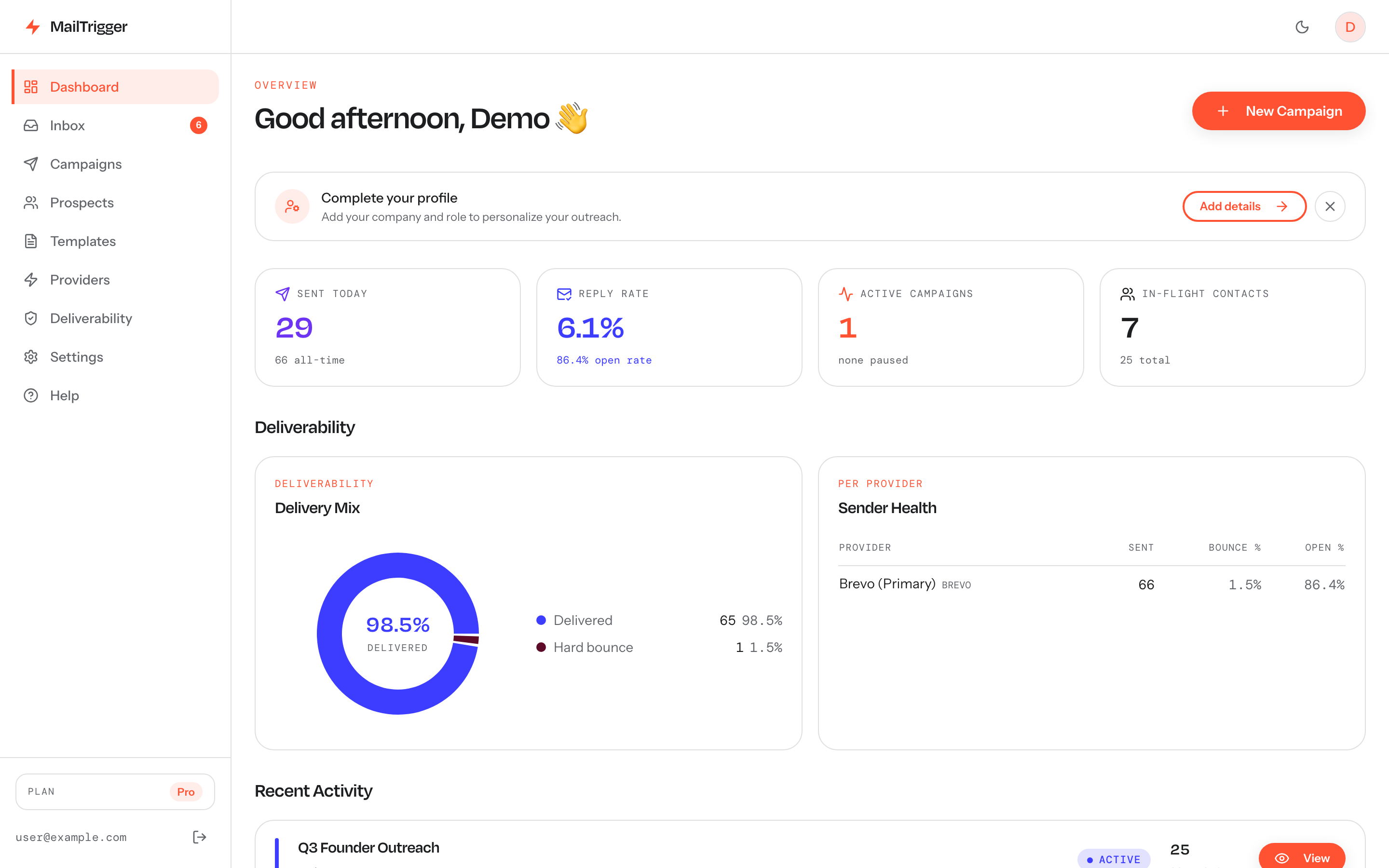
Marketing a SaaS with cold email is a numbers-and-iteration game — a dashboard that shows replies and sequence progress per campaign tells you fast which angle is landing.
Step 1: Define your ICP before you write a word
The single biggest lever in SaaS cold email isn't the copy — it's who receives it. Narrow beats broad every time. "VP of Engineering at a 50–200 person fintech using AWS" outperforms "anyone in tech" because you can write a first line that could only have been written to them.
Build your Ideal Customer Profile around three filters:
- Firmographics: industry, company size, region, funding stage.
- Role/persona: the exact title that owns the problem you solve and can say yes.
- A trigger or signal: they just raised a round, they're hiring for a role your product supports, they use a tool yours integrates with, they posted about the pain you solve.
If you can't name a trigger, your list is probably too broad. The narrower the segment, the more your email reads like it was written for one person — because it nearly was.
Step 2: The 4-step SaaS cold email framework
Here's the repeatable loop. Run it, measure it, change one variable, run it again.
- Targeting. Build one tight list per segment (50–150 contacts to start). Pull contacts from a data source, then clean and verify them — bounces wreck your sender reputation faster than anything. If you're sourcing from Apollo, see our guide on exporting Apollo contacts cleanly for cold email.
- Offer / angle. Decide the one outcome you're promising and the angle you'll lead with. A "timeline" angle — referencing something happening now ("saw you're hiring three SDRs") — consistently beats a generic problem statement. The Digital Bloom's benchmark data found timeline-based hooks reply at 9.9–10.7% versus 3.9–4.8% for generic problem-led openers.
- Sequence (3–4 steps). One email is rarely enough. Build a short sequence: the initial email, then 2–3 follow-ups spaced a few days apart, each adding a new angle or proof point rather than just "bumping" the thread.
- Measure & iterate. Track reply rate and positive reply rate per campaign. Change one thing at a time — subject line, first line, or the ask — so you know what moved the needle.
Step 3: Writing a SaaS cold email that converts
Let's tear down an email that actually gets replies. The shape matters more than the words:
Subject: quick question re: [their hiring/launch/tool]
Hi {{first_name}},
Noticed {{company}} is hiring two more SDRs — usually means outbound is ramping and reporting gets messy fast.
We built [Product] so RevOps teams stop stitching together spreadsheets to see which reps' sequences actually book meetings. [Similar company] cut their reporting time from a day a week to about an hour.
Worth a 15-minute look next week?
{{sender_name}}
Why it works:
- Subject is short and specific. No hype, no "Re:" tricks. It reads like a colleague.
- First line is about them, not you. It references the trigger from your ICP. This is the line that earns the next sentence.
- One crisp value statement with proof. Name the pain, name a result. Skip the feature list.
- One ask. A single, low-friction CTA. Don't bury three questions in a paragraph.
- Short. Under 90 words. Founders who keep it tight get read on mobile.
Use a {{first_name | there}}-style fallback so a missing field never produces "Hi ,". Personalization that scales is just good variables plus clean data.
Step 4: Deliverability basics (so you actually reach the inbox)
The best email in the world is worthless in spam. Before you send volume:
- Authenticate your domain. SPF, DKIM, and DMARC are mandatory for bulk senders to Gmail and Yahoo now — unauthenticated mail gets filtered. Our step-by-step SPF, DKIM and DMARC guide for cold email walks through it.
- Use a separate sending domain. Don't send cold mail from your primary domain. A lookalike domain (e.g.
try-yourapp.com) protects your main domain's reputation if anything goes wrong. - Warm up and ramp slowly. A brand-new domain firing 200 cold emails on day one looks exactly like spam. Start low and ramp over weeks.
- Keep complaints under control. Email only people you have a legitimate reason to contact, honor unsubscribes promptly, and keep reported-spam rates well under Gmail's 0.30% ceiling.
The full picture lives in our pillar guide on cold email deliverability.
How many should a SaaS founder send per day?
Start small and ramp. A new domain and inbox should send a trickle — think 20–40 a day — and build up over several weeks as reputation accrues. The exact safe ramp, with a week-by-week table and per-inbox caps, is in how many cold emails you can safely send per day. Resist the urge to "just blast it." Founders who ramp keep their domain; founders who blast rebuild from scratch.
Doing it affordably with BYOK
Most cold email tools either charge per email, per inbox, or both — which quietly punishes you exactly when outreach starts working. For a bootstrapped founder, that pricing model is backwards.
This is the gap MailTrigger was built to fill. You bring your own key — connect your own Brevo, SendGrid, Resend, SES, Mailgun, Postmark, MailerSend, or plain SMTP account — so every email sends under your reputation on infrastructure you control, not a shared pool. Pricing is flat and billed by contacts, not per email: a free plan for 250 contacts, then $9/month for up to 5,000, and $49/month for up to 50,000 — with unlimited sends on every tier. You build sequences with randomized-delay humanization, daily caps, and timezone send windows; you get open and click tracking, plus IMAP reply detection so replies surface in one place.
Be clear on the trade-offs: MailTrigger has no built-in lead database (you bring your list), no native warmup network, and is email-only (no LinkedIn or multichannel). If you need those, a tool like Instantly fits better — we compare them honestly in MailTrigger vs Instantly. And if you're shopping around on budget, here's our roundup of the best cheap cold email tools for 2026.
See the transparent pricing tiers to size it for where you are now.
FAQ
Is cold email legal for marketing a SaaS?
Yes, when you follow the rules. In the U.S., CAN-SPAM permits B2B cold email if you identify yourself honestly, don't use deceptive headers, include a valid physical address, and honor opt-outs. The EU's GDPR is stricter and generally requires a "legitimate interest" basis for B2B contact plus easy opt-out. The safe posture everywhere: only email people you have a genuine, relevant reason to contact, and make unsubscribing one click. See our deliverability guide for the compliance checklist.
How long until I see replies?
If your domain is warmed and your list is clean, expect replies within the first few days of a campaign — and more as your follow-ups land. Don't judge a campaign on the first email alone; a large share of replies come from follow-up #2 and #3. Give a sequence its full run (usually 2–3 weeks) before deciding it didn't work.
How many emails before I book a meeting?
It varies, but the math is the honest guide. At a 3% reply rate and roughly a third of replies being positive, you'd expect about one interested reply per ~100 well-targeted contacts. To book several meetings a week, you'll want a steady pipeline of fresh, tightly-targeted contacts feeding warmed-up sequences.
Cold email vs paid ads for an early SaaS — which first?
For most B2B SaaS founders with a deal worth at least a few hundred dollars a year, start with cold email. It's near-zero cost, gives you direct conversations (which teach you more about your buyer than any ad metric), and doesn't require a working funnel to produce results. Layer in paid ads once you know your message and have budget to test.