June 28, 2026 · The MailTrigger Team
B2B Sales Prospecting With Cold Email: 2026 Playbook
B2B Sales Prospecting With Cold Email: The 2026 Playbook
B2B sales prospecting with cold email is still one of the most reliable ways for a rep to manufacture pipeline — but the bar is higher than it used to be. Inboxes are crowded, mailbox providers are stricter, and generic "spray and pray" blasts are dead. The reps who win in 2026 treat prospecting as a system: a tight list built on buying signals, a multi-touch sequence that earns attention, personalization that scales, and the deliverability discipline to actually reach the inbox.
This playbook walks through all of it — what prospecting cold email is and isn't today, how to build a targeted list, the multi-touch sequence that books meetings, personalization at scale, deliverability at volume, handling replies, and the metrics that matter.
What prospecting cold email is (and isn't) in 2026
It is a precision tool for starting conversations with people who fit your ICP and show a reason to buy now. It isn't a volume hack. The data is blunt: cold email reply rates have declined from around 8.5% in 2019 to roughly 5% in 2025, and across 2025 benchmarks B2B reply rates sit around 1–5%, with top-quartile senders at 7% or higher. Seniority matters too — those same benchmarks show C-level recipients reply around 0.42% while founders reply closer to 0.57%, a reminder that who you target shifts your odds as much as what you write.
The takeaway: more emails to worse-fit prospects is a losing strategy. The winning move is fewer, sharper, more relevant emails to the right people — sent reliably enough to land in the inbox.
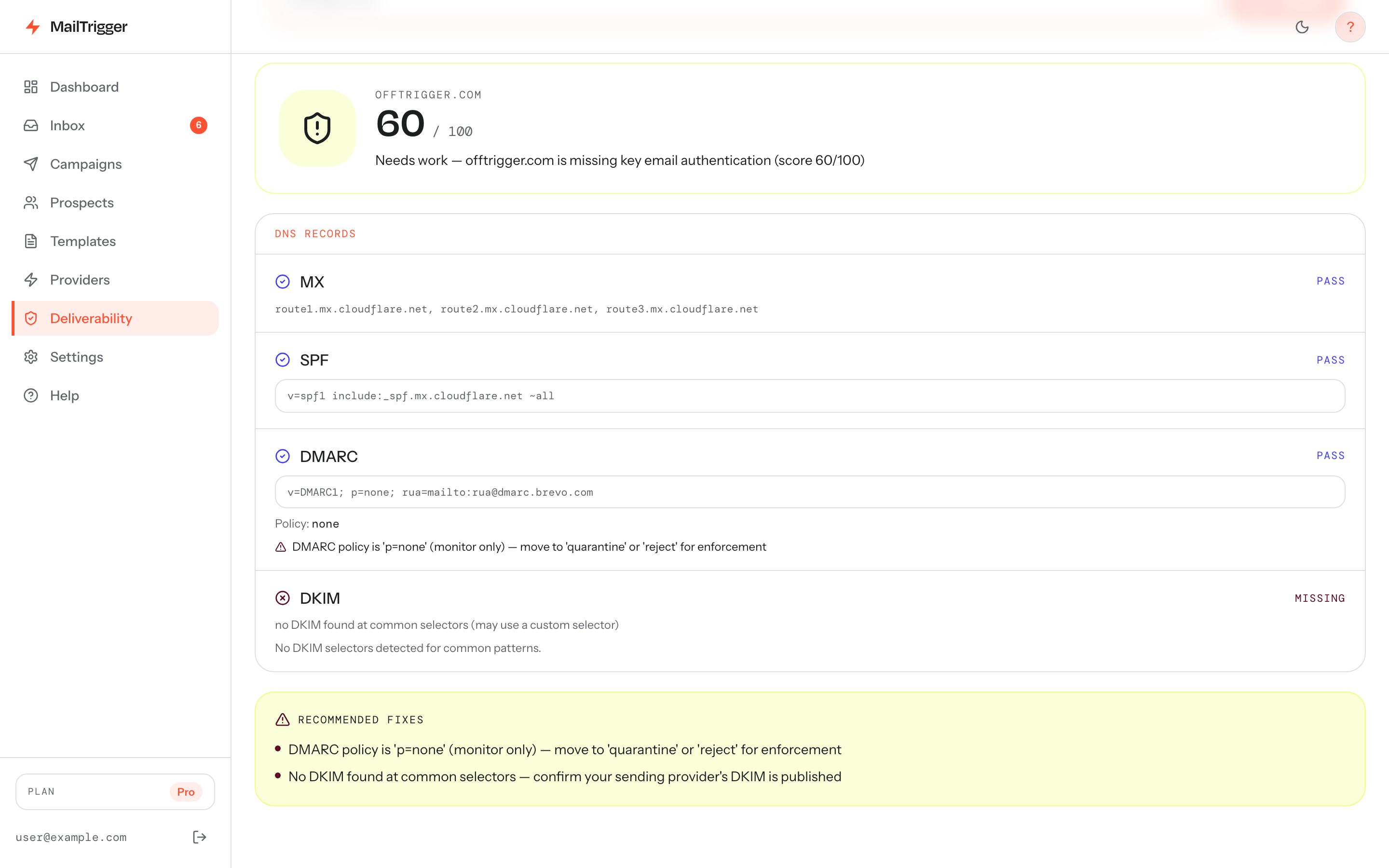
Prospecting at volume starts with deliverability — scoring each email for spam triggers and personalization before it sends keeps your reply rate (and your domain) healthy.
Build a targeted list on signals and triggers
Great prospecting lists aren't "everyone with this title." They're built on signals that someone might buy now:
- Hiring signals: they're hiring for a role your product supports (e.g., scaling SDRs → they need sales tooling).
- Tech-stack signals: they use a tool yours integrates with or replaces.
- Funding / growth signals: a recent raise, expansion, or new market.
- Engagement signals: they posted about the pain you solve, attended a relevant event, or visited your site.
Pull contacts from a data source like Apollo, LinkedIn Sales Navigator, or intent providers, then clean and verify rigorously — bounces and bad data destroy deliverability. Our guide on using Apollo contacts for cold email covers exporting, deduping, and sidestepping the deliverability traps that come with big data platforms.
The multi-touch sequence
A single email is a coin flip you usually lose. A 4–5 touch sequence, each adding value, is the engine. A proven shape:
Touch 1 — Opener (Day 0): signal-based first line + one-sentence value + soft ask. Subject: {{trigger}} at {{company}} Hi {{first_name}}, saw {{specific_signal}}. We help {{their_role}} {{outcome}} — worth a quick look?
Touch 2 — Value/proof (Day 3): a relevant stat, mini case study, or resource. No pressure.
Touch 3 — Different angle (Day 6): reframe the value around a second pain point or persona.
Touch 4 — Direct ask (Day 9): "Open to 15 minutes Thursday or Friday?"
Touch 5 — Breakup (Day 14): "I'll close this out — if {{pain}} becomes a priority, I'm here."
Lead with timeline and specific hooks over generic problem statements: benchmark data shows timeline-based openers reply at about 9.9–10.7% versus 3.9–4.8% for generic problem-led ones. And stop the sequence the instant a prospect replies — automation should never email someone who's already talking to you.
Personalization that scales
Reps hit a wall between "deeply personalized but slow" and "fast but generic." The resolution is structured personalization: templates built around variables, with smart fallbacks.
- Use merge fields for
{{first_name}},{{company}},{{role}}, and a custom{{signal}}field you populate per contact. - Use fallbacks like
{{first_name | there}}so a missing field never produces a broken "Hi ,". - Spend your manual time on the first line — the one sentence that proves you researched them — and let the template carry the rest.
This gets you 80% of the lift of one-to-one personalization at a fraction of the time, which is what lets a rep run hundreds of relevant touches a week.
Deliverability at volume
At prospecting volumes, deliverability is the whole game — a 5% reply rate on mail that lands beats a 15% rate on mail that doesn't get delivered. The essentials:
- Authenticate. SPF, DKIM, and DMARC are required by Gmail and Yahoo for bulk senders. See our SPF, DKIM and DMARC guide.
- Use separate sending domains/inboxes and warm them up before scaling.
- Cap and pace. Stay under safe per-inbox daily limits and spread sends across the day — how many cold emails you can safely send per day has the numbers.
- Keep lists clean and complaints low (well under Gmail's 0.30% reported-spam ceiling).
The complete framework is in our cold email deliverability pillar.
Handling replies and routing meetings
Volume creates a happy problem: replies you can't afford to miss. A "let's chat" buried under out-of-office bounces costs you a deal.
This is where MailTrigger fits a rep's workflow. IMAP reply detection surfaces every response in one place, so positive replies don't get lost in a noisy inbox, and the sequence automatically stops for anyone who replies. You bring your own key — send from your own real mailbox (Gmail/SMTP) or ESP so prospects reply to you, on your reputation — and open and click tracking tells you who's engaging so you can prioritize follow-up. Build sequences with randomized-delay humanization, daily caps, and timezone send windows so your outreach paces like a human and lands during business hours.
Pricing is flat and billed by contacts, not per email — free for 250 contacts, $9/month for up to 5,000, $49/month for up to 50,000, with unlimited sends. One honest caveat for reps: MailTrigger has no built-in lead database, so you bring your list (often from a data tool like Apollo). On that point, see MailTrigger vs Apollo for how a data platform and a dedicated sender play different — and complementary — roles. Check the pricing tiers to size it.
The metrics that matter
Track the funnel, not vanity numbers:
- Reply rate — sanity check on list + copy (aim to beat the 1–5% band).
- Positive reply rate — the real signal of message-market fit.
- Meetings booked — the only metric your quota cares about.
- Meetings per 100 contacts — your efficiency number; improve it by tightening the list and the opener.
Watch what a realistic cold email reply rate looks like so you benchmark against reality, not hype.
FAQ
What's a good reply rate for B2B prospecting?
A reply rate in the 1–5% range is normal for 2025–2026 B2B cold email, with strong campaigns hitting 7%+. More important than raw replies is your positive reply rate and meetings booked. A tightly-targeted list with a sharp, signal-based opener can pull well above average; a broad list rarely will, no matter how good the copy.
How many touches should a prospecting sequence have?
Four to five touches over about two weeks is the sweet spot — an opener, two value-add touches, a direct ask, and a breakup. Most replies come after the first email, so cutting the sequence short leaves meetings on the table. Beyond five touches you risk diminishing returns and annoyance. Always stop the sequence the moment a prospect replies.
What's the best time to send prospecting emails?
Mid-morning on weekdays, in the recipient's local time zone, generally performs best — it lands when they're triaging their inbox. Use timezone-aware send windows so a 9 a.m. send means 9 a.m. for them, not for you. Test within your own data, but business-hours, weekday sends are the reliable default.
How many prospects should a rep email per day?
It depends on domain warmth and inbox count, but quality caps quantity. From a warmed inbox, a few dozen genuinely targeted, personalized emails a day is sustainable; scaling further usually means more inboxes and domains, all warmed and authenticated. Don't chase a daily number at the expense of relevance — see how many cold emails you can safely send per day for safe limits.